Task5: Create a Jenkins Freestyle Job
0. Clean your Load Balancing configuration
Please clean your Load Balancing configuration before you begin so you can see all the magic and claim nothing was hidden in your sleeves. Do it through the WebUI and remove:
- Virtual Server
- Pool
- Nodes
1. Create a new Job
On the jumphost, go to: http://127.0.0.1:8080
- and log in with the jenkins administrator credentials:
- User: jenkins
- Password: default
On the left hand menu, click on ** New Item**

Let’s call this job task5 Select Freestyle Project
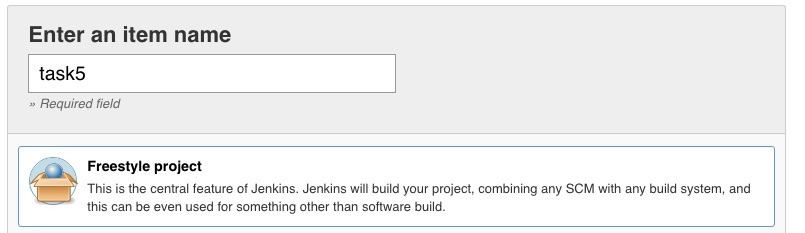

click Ok
2. Configure the job
A/ Add the rundocker playbook invocation to the jenkins job :
(optional) add into the description field: “This is simple freestyle job to run sequentially 2 ansible playbooks.”
scroll down to the end of the job until you reach the Build category.

Then add a build step by clicking on “Add a build step”
It will open a drop down list with all the baked in plugins and the additional plugins you could have installed on your Jenkins server.
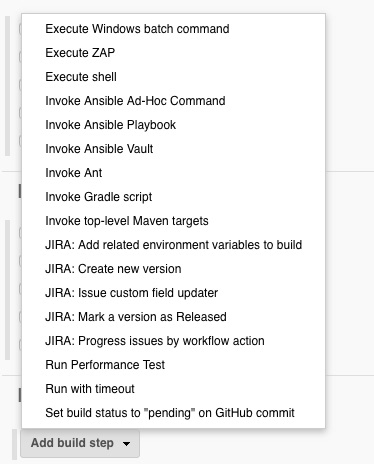
Click on Invoke Ansible Playbook
Firstly, let’s configure the invocation of the run docker playbook.
in the playbook path, add the following line: /tmp/task3.yml
Do not specify Inventory, as we will use the main inventory (/etc/ansible/hosts).
B/ Add the lbsvc playbook invocation to the jenkins job :
Add a new Invoke Ansible Playbook as an additional build step of your job:
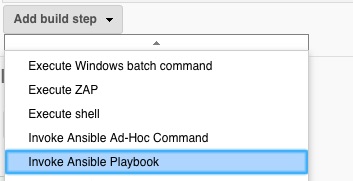
We will now run the task4.yml Ansible playbook, which is in charge of deploying the configuration on your bigip:
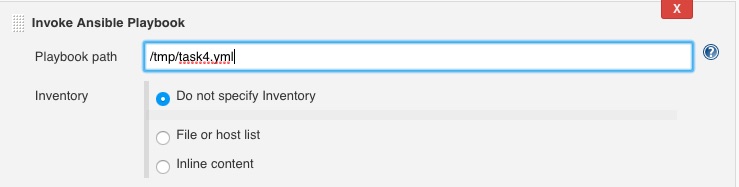
Again, we will use the main host file, so you don’t need to specify an extra inventory.
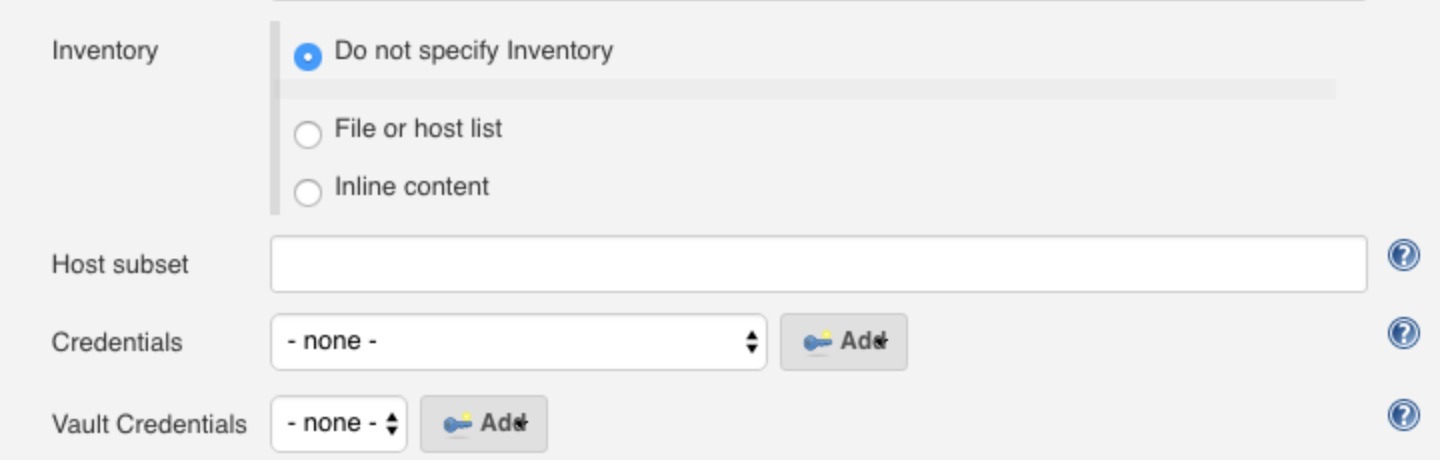
there are yet no vault credentials available in our configuration. Let’s create a new credential entry in Jenkins to store our ansible vault password. Click on “Add” on the “Vault Credentials” line.
Select Secret text as a credential kind:
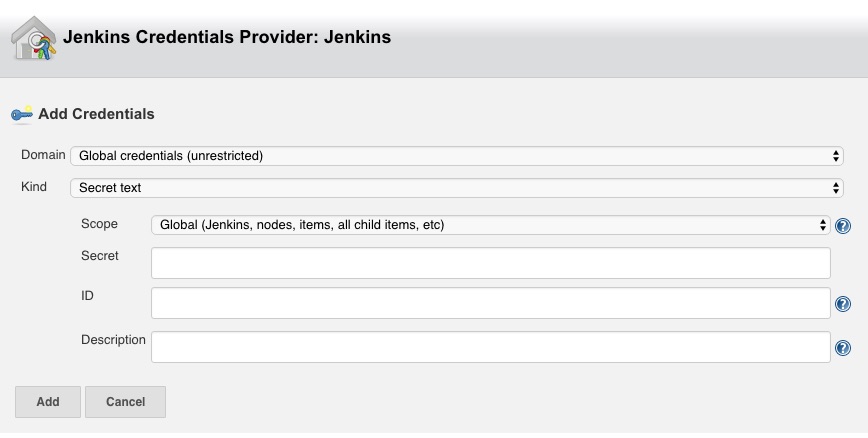
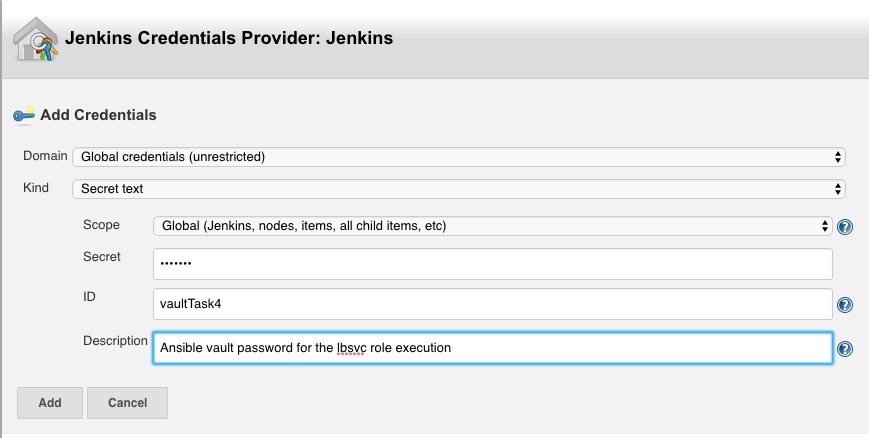
- Then, fill the required fields with the following values:
- secret: Your Vault Password
- ID: vaultTask4
- Description: Ansible vault password for the lbsvc role execution
- Note:
- You have seen Jenkins can store different kind of confidential data in its credential store.
You can reorder the two playbooks invocations easily by clicking and dragging the 2 Invoke Ansible Playbook on their top left corner as the two playbooks are independent of each other.

Click ** Save **
3. Run the freestyle job
On the left hand menu, you can run the playbook by clicking on the Build now* button

On the Build History window on the bottom left corner, you can have details on the execution of your job:
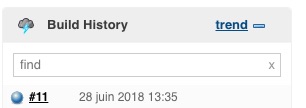
click on the #number of your execution. it will open a new page for this job execution (called build).
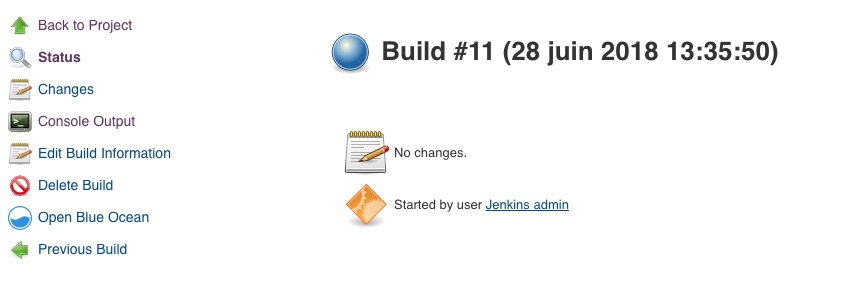
the Console Output button will give you insights on the build steps:
Started by user Jenkins admin
Building in workspace /var/lib/jenkins/workspace/task5
[task5] $ ansible-playbook /tmp/task3.yml -f 5
[DEPRECATION WARNING]: DEFAULT_SUDO_USER option, In favor of Ansible Become,
which is a generic framework. See become_user. , use become instead. This
feature will be removed in version 2.8. Deprecation warnings can be disabled by
setting deprecation_warnings=False in ansible.cfg.
[WARNING]: Found variable using reserved name: remote_user

PLAY [me] ******************************************************************

TASK [Gathering Facts] *****************************************************
ok: [127.0.0.1]

TASK [fch.rundocker : create and run a docker container] *******************
changed: [127.0.0.1 -> localhost] => (item=9081)
changed: [127.0.0.1 -> localhost] => (item=9082)
changed: [127.0.0.1 -> localhost] => (item=9083)

PLAY RECAP *****************************************************************
127.0.0.1                  : ok=2    changed=1    unreachable=0    failed=0

[task5] $ ansible-playbook /tmp/task4.yml -f 5 --vault-password-file /var/lib/jenkins/workspace/task5/vault8754706889869935773.password
[DEPRECATION WARNING]: DEFAULT_SUDO_USER option, In favor of Ansible Become,
which is a generic framework. See become_user. , use become instead. This
feature will be removed in version 2.8. Deprecation warnings can be disabled by
setting deprecation_warnings=False in ansible.cfg.

PLAY [Configure http service] **********************************************

TASK [fch.lbsvc : Create nodes] ********************************************
changed: [192.168.1.143 -> localhost] => (item={u'host': u'10.100.26.144', u'port': u'80'})
changed: [192.168.1.143 -> localhost] => (item={u'host': u'10.100.26.145', u'port': u'80'})
[DEPRECATION WARNING]: Param 'user' is deprecated. See the module docs for more
information. This feature will be removed in version 2.9. Deprecation warnings
can be disabled by setting deprecation_warnings=False in ansible.cfg.
[DEPRECATION WARNING]: Param 'password' is deprecated. See the module docs for
more information. This feature will be removed in version 2.9. Deprecation
warnings can be disabled by setting deprecation_warnings=False in ansible.cfg.
[DEPRECATION WARNING]: Param 'server' is deprecated. See the module docs for
more information. This feature will be removed in version 2.9. Deprecation
warnings can be disabled by setting deprecation_warnings=False in ansible.cfg.
[DEPRECATION WARNING]: Param 'validate_certs' is deprecated. See the module
docs for more information. This feature will be removed in version 2.9.
Deprecation warnings can be disabled by setting deprecation_warnings=False in
ansible.cfg.

TASK [fch.lbsvc : Create pool] *********************************************
changed: [192.168.1.143 -> localhost]

TASK [fch.lbsvc : Add Pool members] ****************************************
changed: [192.168.1.143 -> localhost] => (item={u'host': u'10.100.26.144', u'port': u'80'})
changed: [192.168.1.143 -> localhost] => (item={u'host': u'10.100.26.145', u'port': u'80'})

TASK [fch.lbsvc : Add Virtual Server] **************************************
changed: [192.168.1.143 -> localhost]

TASK [fch.lbsvc : Add Redirect Virtual Server] *****************************
changed: [192.168.1.143 -> localhost]

PLAY RECAP *****************************************************************
192.168.1.143              : ok=5    changed=5    unreachable=0    failed=0

Finished: SUCCESS