Task7: Attach an ASM Policy dynamically using a Jenkins pipeline
1. Create a new Task
Create a new task : task7 as a pipeline.
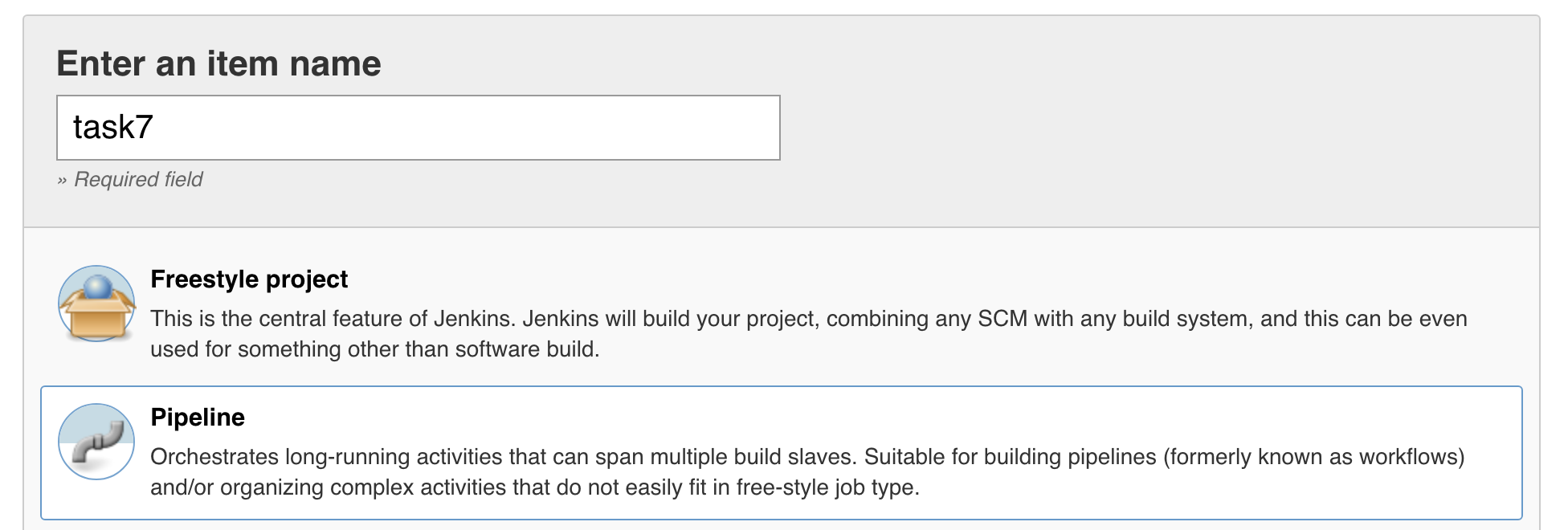
Click OK.
Check the box This project is parameterized and add a String Parameter called : appName.
We can also put a default value: myApplication And a shot description for this field: * Please enter your application name*
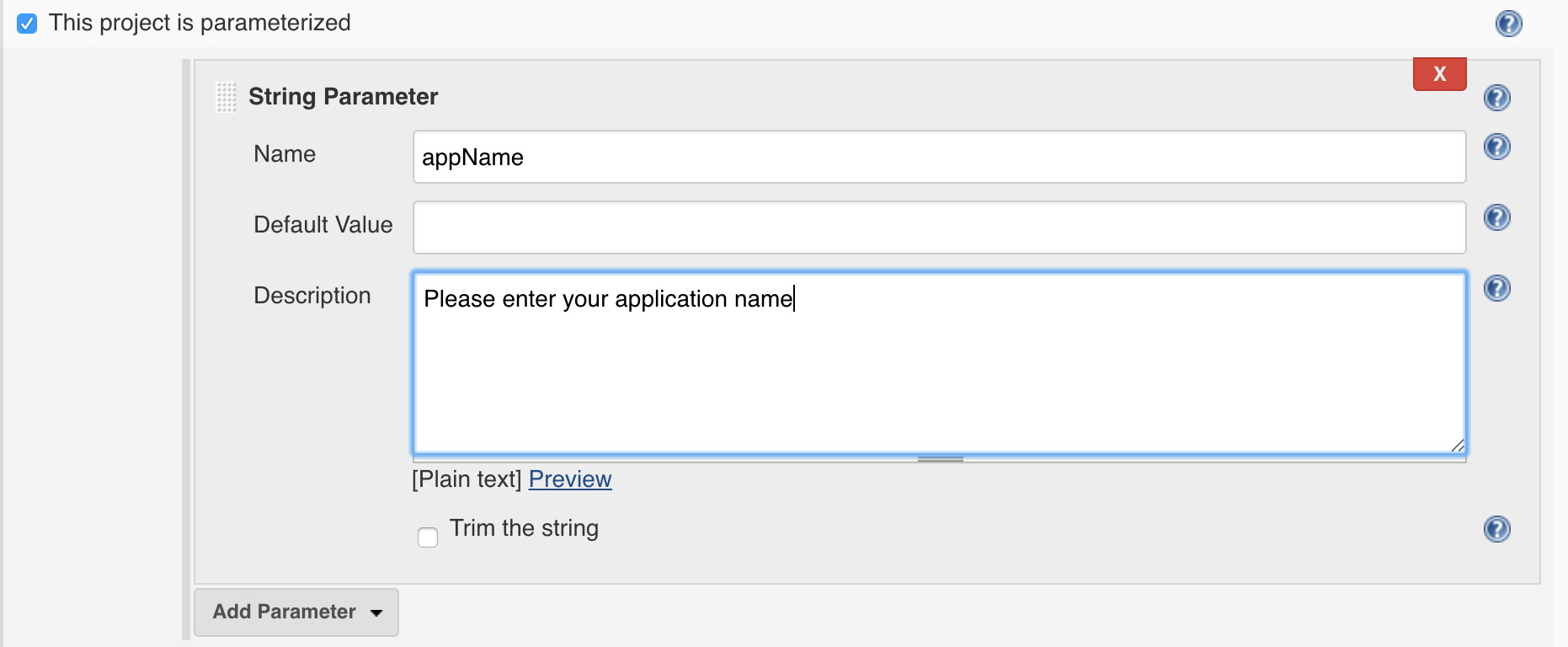
- At the bottom of the page we will configure the pipeline with the following definition:
- Definition: Pipeline script from SCM
- SCM: Git
- Repository URL: https://github.com/fchmainy/fch.attachWAF.git
- Credentials: none (default)
- Branch Specific: */master (default)
- Script Path: Jenkinsfile
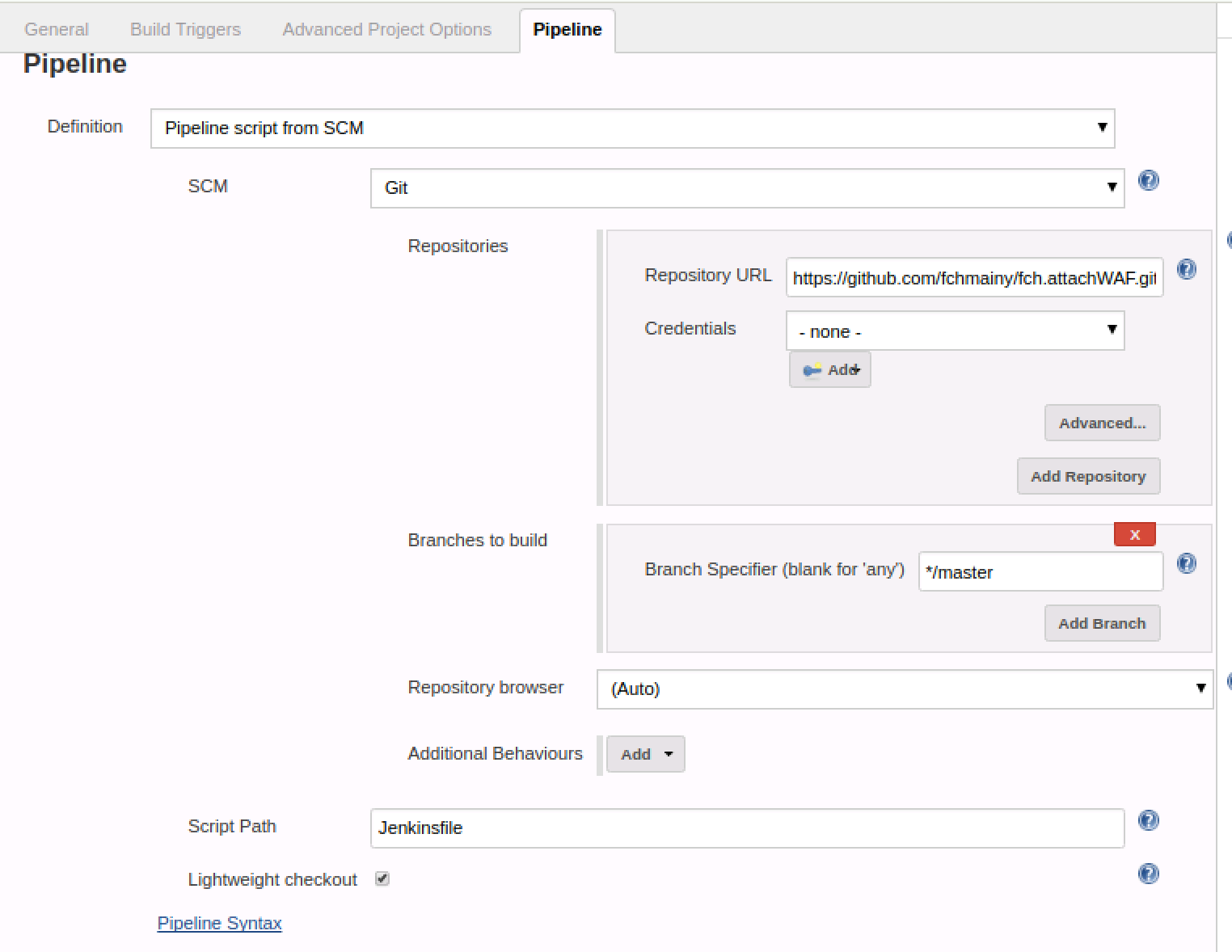
Then save.
2. Run your task
You can now run the Jenkins build by clicking on the Build with Parameters button

You can use the myAppTask4 application name as a variable so you will attach the Web Application Firewall policy to this related existing Virtual Server.
When the pipeline is executed, click on the latest step of your pipeline to approve the deployment. This click is completely useless but We had to make this lab a little bit tricky, right?
- What this pipeline does is to:
- clone a Git Repo where is defined a new Ansible role called fch.attachWAF
- copy this role in your Ansible roles directory
- Run the fch.attachWAF role so it can grab an F5 WAF Policy from a URL, send it to your bigIP and attach it to a Virtual Server.
You can have a look at the code and the YAML files of the role at : https://github.com/fchmainy/fch.attachWAF
3. (optional) Link this pipeline as Downstream job on the previous pipeline
If you have time, you can link this pipeline as a Jenkins Downstream Job on your task6 pipeline.
Go back to your task6 pipeline. Then click on the Configure button.

At the end of the String Parameters you have previously configured, click on Add Parameter
Then choose Boolean Parameter It will add a new parameter box you’re your parameters entries:
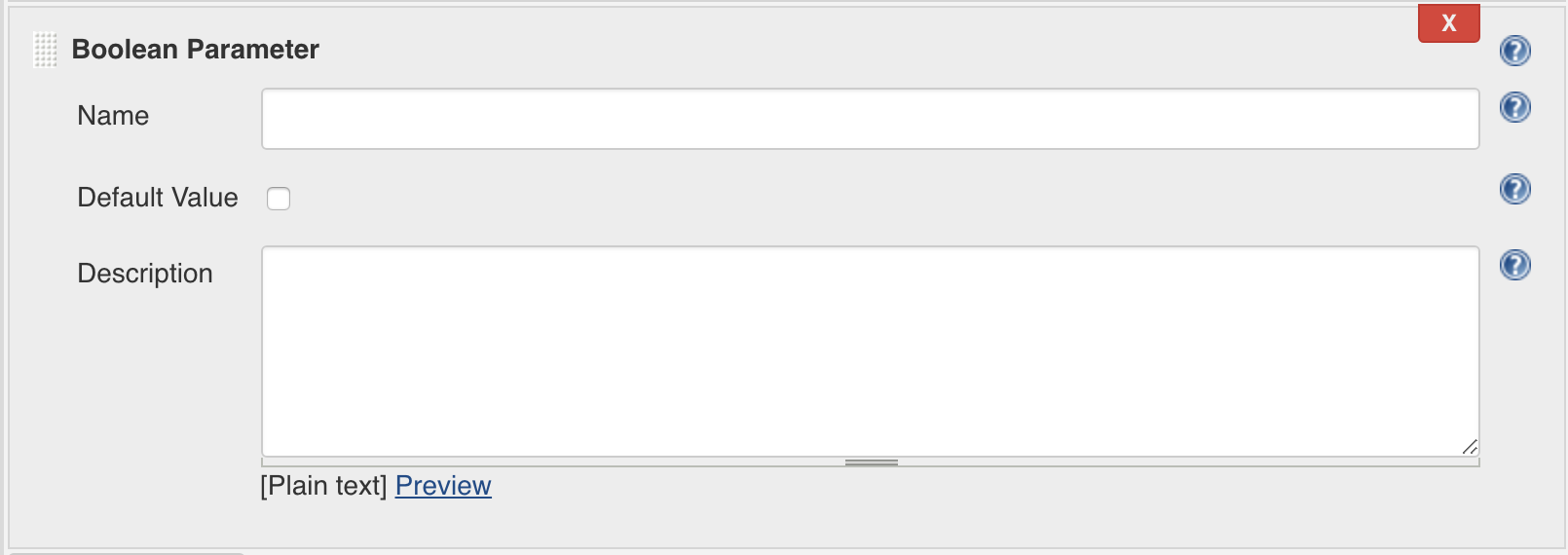
Let’s call this new Boolean parameter secured (Caution: parameters names are case sensitive).
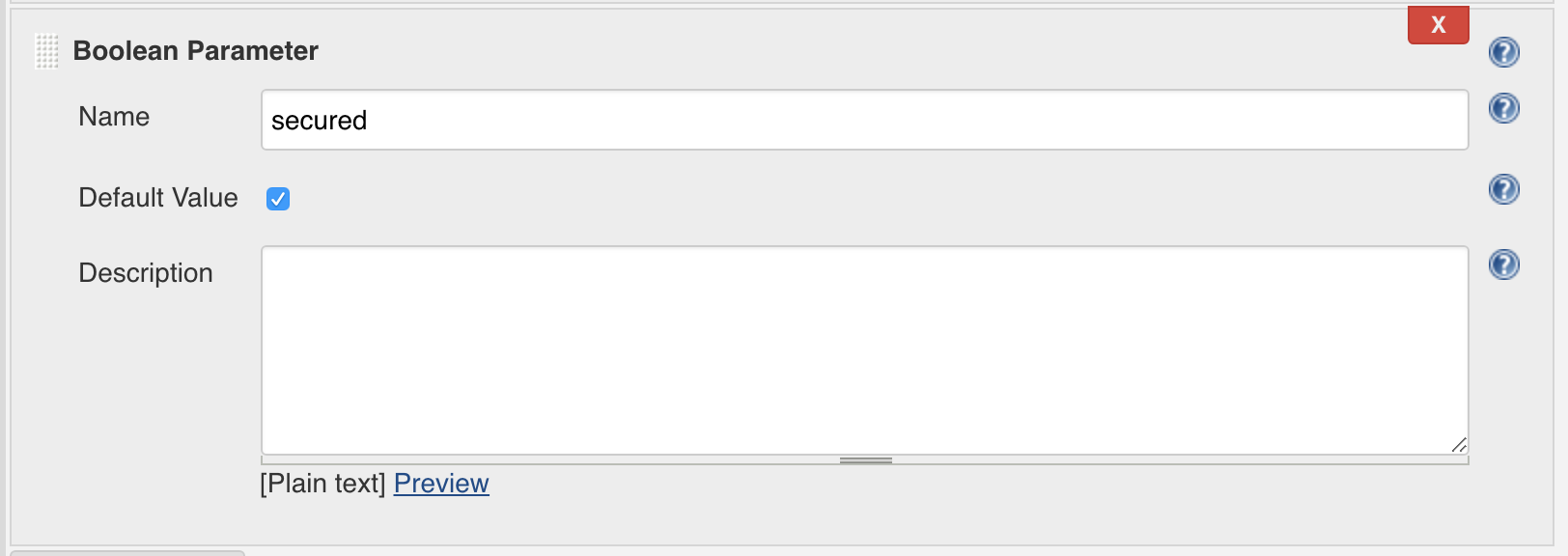
We can also check Default Value so every app deployed will be secured by default and you will have to intentionally uncheck this box and leave your apps and data at the mercy of the bad guys

Insert the line in bold in the Preparation stage so you can get the secured boolean value from the input form:
stage('Preparation') {
       env.appName = params.appName
       env.vsIP = params.vsIP
       env.websrvPorts = params.websrvPorts
       //env.poolMemberPorts = params.websrvPorts.split(',')
       env.poolMemberIP = params.websrvIP
       env.secured = params.secured
   }
Then insert the following groovy fancy code to your pipeline script after the line 85:
stage('run downstream pipeline') {
        if ( secured )
            {
            echo "This is safer!"
            def job = build job: 'task7', parameters: [[$class:    'StringParameterValue', name: 'appName', value: appName]]
            }
            else {
                echo "I will tell it to your CSO!"

            }
   }
Click on save
Then, run your build:

- Enter the following values:
- appName: myAppTask7
- vsIP: 10.1.20.121
- websrvPorts: 9061,9062,9063,9064
- websrvIP: 10.1.10.20
then click Build
When the pipeline will reach the run downstream pipeline stage, go to Back to Dashboard > task7 and approve the end of the build.
You can then check on your bigIP that the VS myAppTask7_vs_https has been successfully created and has been associated with a WAF policy called MyAppTask7_waf.
__That’s all Folks!!!__