Task6: Create a pipeline as script
Freestyle jobs are quite easy, but it is not very flexible and could be very complex to understand and manage if you have too many build steps.
- pipelines as code (do not panic! you won’t have to code here, we will provide you the scripts afterward) is more flexible and add the following benefits:
- collect and manage parameters
- manage build steps sequentially or in parallel
- easy to manage high number of stages in your build.
1. Introduction
Let’s begin by creating a new job:

Let’s call this pipeline task6 and choose the pipeline mode
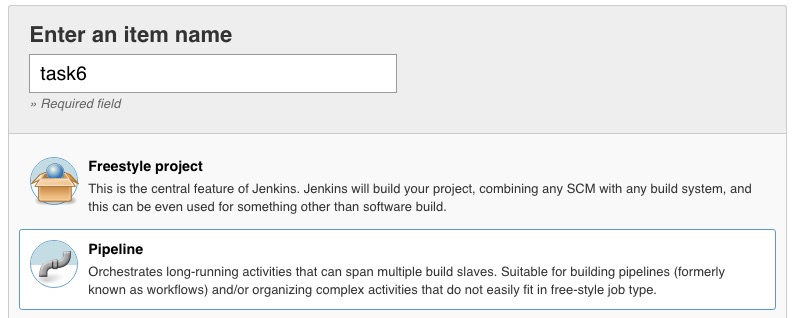
click Ok
2. Configure Pipeline
We will add parameters in this pipeline so users can add different values to override the default parameters defined in the ansible roles.
click on the This project is parameterised checkbox, then add a string parameter:
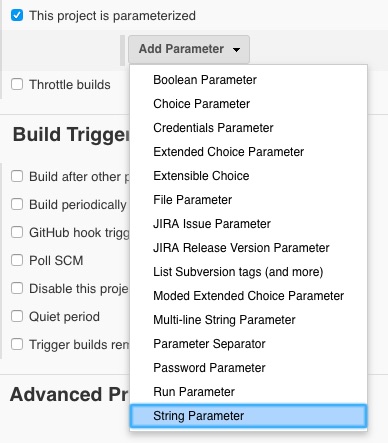
We will call this parameter vsIP which corresponds to the IP Address of the F5 Virtual Server.
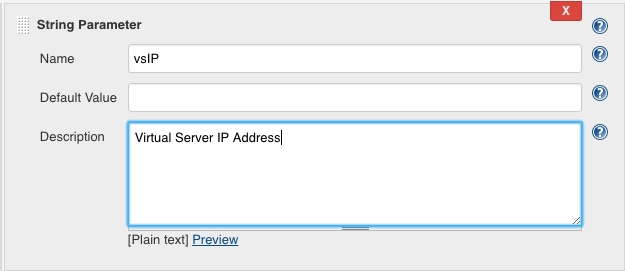
- Do the same for:
- appName (application name)
- websrvPorts (list of the docker containers ports)
- websrvIP (IP address of the docker host)
You can reorganize parameters as you wish, there is no impact on the pipeline. BUT be careful of the syntax and the case sensitivity of parameter names.
At the bottom of the page, you will find the Pipeline definition. Ensure the definition is ** Pipeline script** in the drop down list and paste the following content in the script text box:
#!/usr/bin/env groovy

import groovy.json.JsonOutput

node {
   stage('Preparation') {
       env.appName = params.appName
       env.vsIP = params.vsIP
       env.websrvPorts = params.websrvPorts
       //env.poolMemberPorts = params.websrvPorts.split(',')
       env.poolMemberIP = params.websrvIP

   }
   stage('the most useless step I have created') {
       sh "echo --------------------------------"
       sh "echo $appName"
       sh "echo $vsIP"
       sh "echo $websrvPorts"
       sh "echo --------------------------------"
   }

    parallel(
        "Creating docker containers": {
            stage('yet an other useless step')
                {
                    sh "echo I am starting my containers"
                }
            stage('Creating dockers')
                {
                    ansiblePlaybook(
                    colorized: true,
                    playbook: '/tmp/task3.yml',
                    extras: '',
                    sudoUser: null,
                    extraVars: [
                        container_ports : [websrvPorts]
                ])
                }
            stage('no comment...')
            {
                sh "echo containers are ready"
            }
        },
        "Configuring BigIP": {
            stage('preparing pool member list'){
                def poolMemberPorts = websrvPorts.split(",")
                println "my ports: $poolMemberPorts"

                def numPorts = poolMemberPorts.size()
                echo "$numPorts"

                def listPool = []

                for(port in poolMemberPorts){
                    echo "working on this pool port: $port"
                    echo "{\"port\":\"" + port +"\", \"host\": \"" + poolMemberIP + "\"}"
                    listPool.add("{\"port\":\"" + port +"\", \"host\": \"" + poolMemberIP + "\"}")
                    println "my list: $listPool"

                    // [{"port":"80","host:"10.100.26.146"},{"port":"80","host:"10.100.26.146"}]
                }
                env.pools = listPool.join(",")
                echo "Pool list: $pools"
            }
            stage('lbsvc')
                {

            withCredentials([[$class: 'UsernamePasswordMultiBinding', credentialsId: 'bigips', usernameVariable: 'USERNAME', passwordVariable: 'PASSWORD']]) {
                    ansiblePlaybook(
                    colorized: true,
                    playbook: '/tmp/task4.yml',
                    extras: "-vvv",
                    sudoUser: null,
                    extraVars: [
                        username: USERNAME,
                        password: PASSWORD,
                        app_name: appName,
                        pool_members : [pools],
                        vip_ip : vsIP
                        ]
                    )
                }
            }
        })
    stage('finishing...')
    {
        sh "echo I have finished my pipeline."

    }

}
To run your pipeline, click on Build with parameters

It will open the following page:
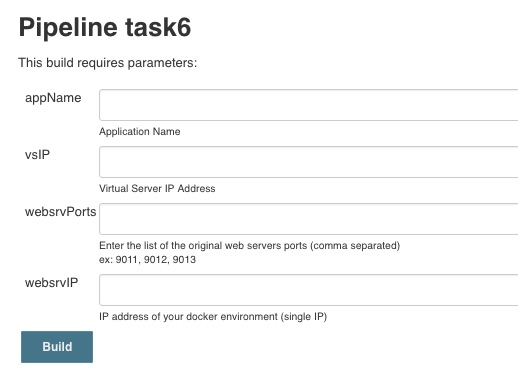
- Enter the following values:
- vsIP: 10.1.20.111
- appName: myApplication
- websrvPorts: 9034,9035,9036,9037
- websrvIP: 10.1.10.20
then click Build
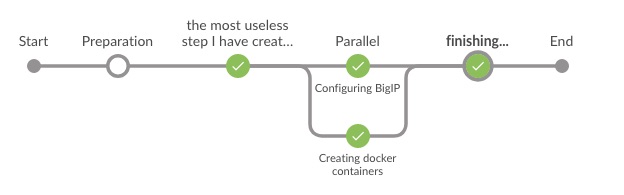
You can visualize the execution of the pipeline in the Console Output of your build. On the Blue Ocean interface the build is shown as follow: